Downloads

Gleem software

Everything Gleem makes for your computer, your IRL Sidekick and your servers, in one place. Always the latest release, straight from get.gleem.gg.

  • Checksums for every file
  • Always the latest release
  • Free to download

For your computer

Apps

Gleem Imager

Windows 10 and later · Linux (AppImage)

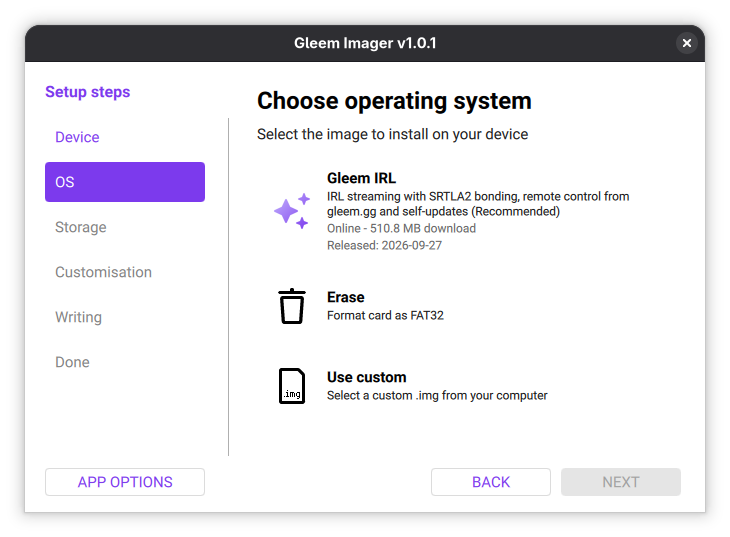
Writes the IRL Sidekick image to an SD card. Choose your board, choose the image, choose the card: it downloads, writes and verifies in one go.

v1.0.1 · Sep 28, 2026

The Windows installer is code-signed.

SHA-256 checksums
gleem-imager-v1.0.1.exe
594486b0102cc479e0543f8bafc4e6ee1cd3a2fe045321ed47b8e9f7885edc29
Gleem_Imager-v1.0.1-desktop-x86_64.AppImage
70b5f0ab2949bea6eb6c7afe69a555730efacb2dad4e14e3e29cc9febb3297e3
Source code
Gleem Imager choosing the IRL Sidekick image

Gleem Crossfade

Linux (PipeWire)

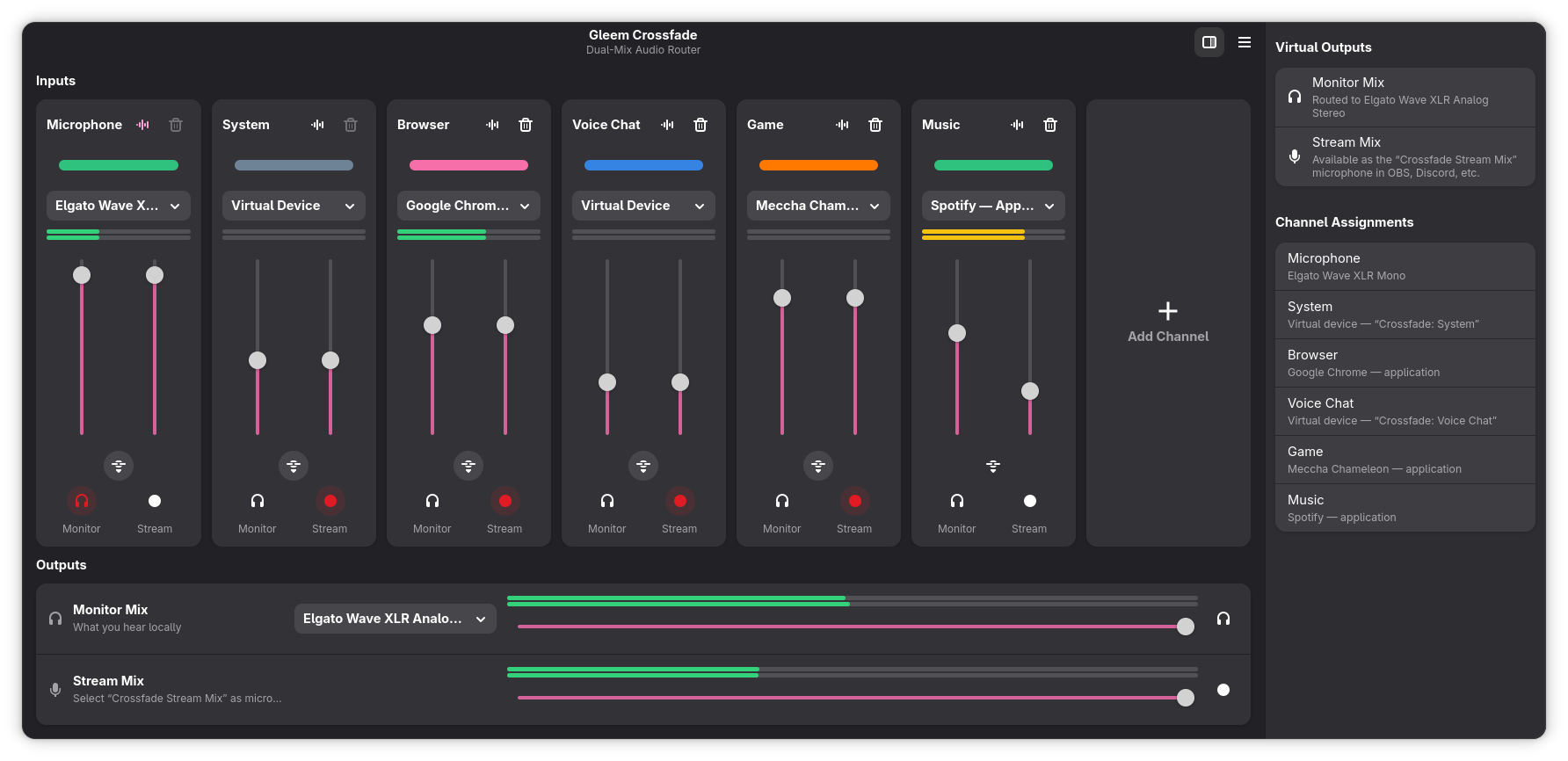
A dual-mix virtual audio mixer: one mix for you, another for your stream, with virtual microphones for OBS and Discord.

Fedora

sudo dnf copr enable gleem/crossfade
sudo dnf install gleem-crossfade

Arch Linux

yay -S gleem-crossfade
The Gleem Crossfade mixer

Gleem IRL Sidekick

The IRL Sidekick image

A ready-to-flash system for your IRL Sidekick with everything preinstalled. It keeps itself up to date after the first boot.

IRL Sidekick for the Orange Pi 5 Plus

Streams from HDMI with hardware H.264/H.265, bonds all your connections and is controlled from gleem.gg.

v2026.09.27 · Sep 27, 2026

SHA-256 checksums
Armbian_26.8.2_Orangepi5-plus_trixie_vendor_6.1.115_minimal.img.xz
0d41bd20370546a156d8c726ab224773ea9ddf9a2233048b5692e76e386df241
About Gleem IRL Sidekick

IRL Sidekick for the Raspberry Pi 4 and 5

Streams from a USB HDMI capture card, with hardware H.264 on the Pi 4 and software H.264 on the Pi 5, bonds all your connections and is controlled from gleem.gg.

v1.0.0 · Sep 29, 2026

SHA-256 checksums
2026-09-15-raspios-trixie-arm64-lite.img.xz
8e23e0e33ccb36299b319c59b63b7602fe26177b966dace0ae3b2b2cf937a7f3
About Gleem IRL Sidekick

For hosts

Server tool

Installed with one command on a Linux server or a Windows PC. The installer checks the signature of what it downloads.

Gleem machine agent

Turns a Fedora or Windows 10/11 machine with an NVIDIA GPU into a Gleem Hosting machine.

v0.1.11 · Oct 16, 2026

Linux

curl -fsSL https://get.gleem.gg/machine-agent/install.sh | sudo bash -s -- --code GLEEM-XXXX-XXXX

Windows (PowerShell)

& ([scriptblock]::Create((irm https://get.gleem.gg/machine-agent/install.ps1))) -Code GLEEM-XXXX-XXXX

Use the claim code from your hosting dashboard. On Windows, run it in PowerShell as administrator.

About Gleem Hosting

Verify

Check your download

Every release comes with a SHA-256 checksum. Compare it with the one shown next to the download:

Windows (PowerShell)

Get-FileHash .\gleem-imager-*.exe -Algorithm SHA256

Linux

sha256sum Gleem_Imager-*.AppImage

The Windows installer is also code-signed: Windows shows the publisher when you start it.